You asked, we answered: Your inReach® device questions
We receive questions from inReach device1 users around the world through surveys, social media and our product support teams. Below we’ve answered the most common questions — and a few unique ones — about using inReach satellite communicators.
Q: Is the device supposed to warn me about having an active subscription every time I turn it on?
A: Yes. Each time you turn your device on, you will encounter the following notification:
“WARNING: MESSAGING, TRACKING, AND SOS REQUIRE AN ACTIVE SUBSCRIPTION. ALWAYS TEST YOUR DEVICE BEFORE YOU GO.”
This message is for your awareness, so you know your inReach device is fully operational before you may need it for communication or during an emergency. It does not indicate that the inReach device does not have service.
Learn more about this notification and testing your inReach device.
Q: Where does the weather forecast come from?
A: Forecasts are powered by meteoblue, a leading provider of weather data around the globe. The forecasts are based on a multi-model approach, which combines various weather models with current measurements and observations as available, specifically for the location and elevation requested. The meteoblue website provides extensive additional weather information.
Learn more about weather for inReach devices.
Q: How do I send a Check-in message?
A: Check-in messages are a convenient way to send short, predefined messages to preselected recipients from your inReach device while you are out and about.
There are three predetermined Check-in messages that cannot be edited. They are:
- I’m checking in, everything is okay.
- I’m starting my trip.
- I’m ending my trip.
Before you leave for your adventure, you must determine your Check-in message recipients. This is done from the Garmin Explore™ website or in the Garmin Messenger™ app, under “Edit Check-in Contacts” (depending upon your device). Note: Check-in messages cannot be sent via the Earthmate® app.
Directions on sending a Check-in message from your inReach vary depending on which device you own, but for the most part, instructions are:
- From the inReach device home screen, press OK to open the homepage actions.
- Select Check-In.
- Press < or > to scroll through the three check-in message options.
- Press OK to select a message.
- Press OK to send the message.
For directions and more device-specific information, visit the Garmin Support Center, enter your device name into the search bar and search for Check-in messages.
Q: What are Waypoints, and how do I use them?
A: Waypoints are location points you record and store in your inReach device. Waypoints can mark where you are, where you are going or where you have been. Creating a Waypoint within the Earthmate app, Garmin Explore app or Garmin Explore website – depending on which device you use – can be shared if the Waypoint is saved within a Collection that is shown in MapShare™.
Learn more about Waypoints here. For detailed information on how to set Waypoints on your specific inReach device, visit the Garmin Support Center, enter your device name in the search bar, and search for Waypoints.
Q: Which Garmin apps are compatible with my inReach device?
A: Each device connects to a Garmin app (Garmin Messenger, Garmin Explore, Earthmate) that you can download from the App Store® or Google Play to your smartphone. Once an app is downloaded, paired and synced to your inReach device, you may enjoy expanded features for your off-grid adventures and outdoor pursuits.
See below for clarification of the apps, what they do and the devices they connect with:
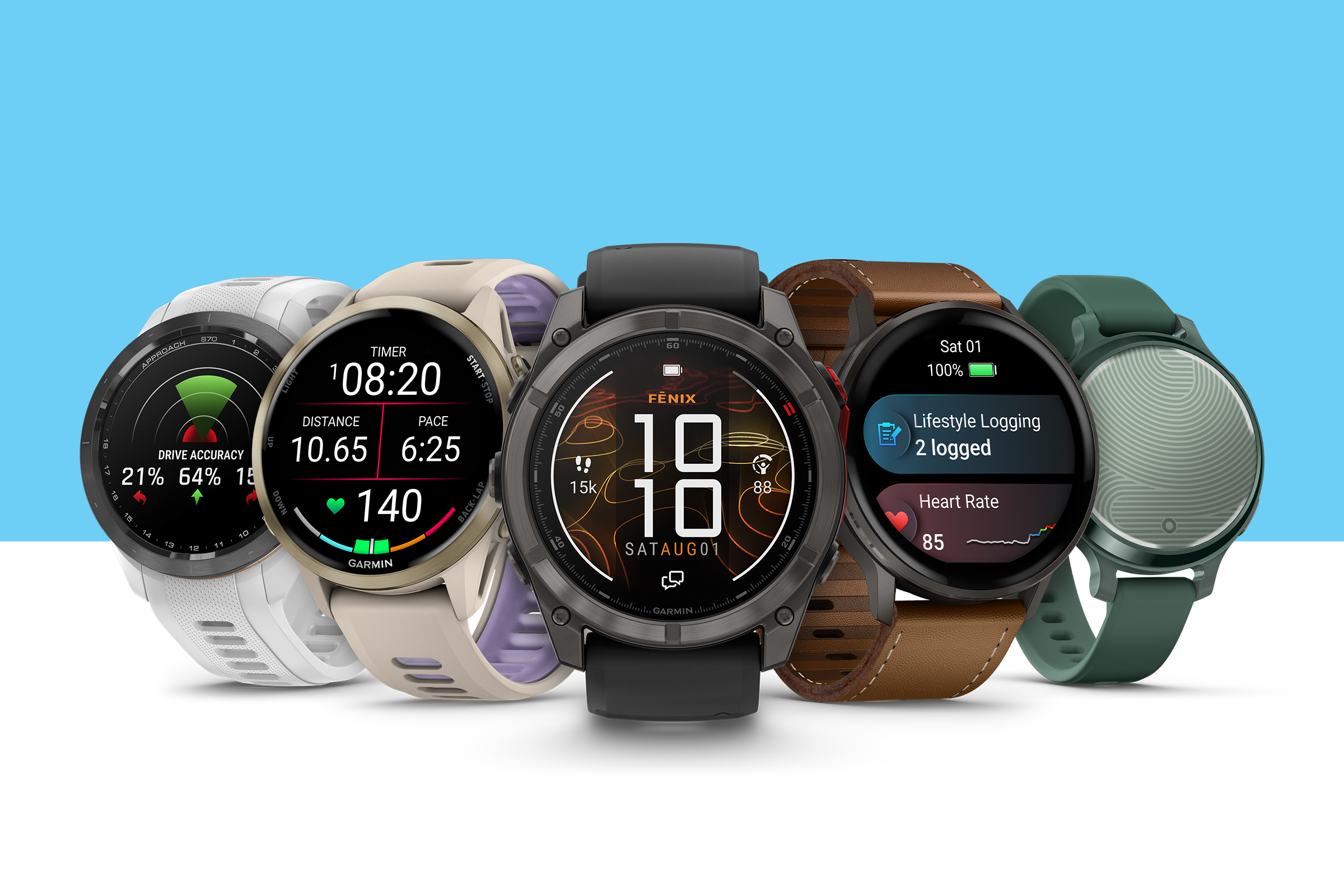
Garmin Messenger™ App – Communication and Location Sharing: inReach Mini 3/Mini 3 Plus, fēnix® 8 Pro, quatix® 8 Pro, inReach Messenger/Messenger Plus, inReach Mini 2, GPSMAP® H1i Plus, GPSMAP 66i/67i, GPSMAP 86i/86sci, Montana® 700i/750i/760i, Alpha® 200i/300i devices
Garmin Explore™ App – Mapping and Navigation: inReach Mini 3/Mini 3 Plus, fēnix® 8 Pro, quatix® 8 Pro, inReach Mini 2, inReach Messenger Plus, GPSMAP H1i Plus, GPSMAP 66i/67i, GPSMAP 86i/86sci, Montana 700i/750i/760i, Alpha 200i/300i devices
Earthmate® App – Communication, Mapping and Navigation: inReach Mini, inReach Explorer+, inReach SE+, DeLorme inReach devices
Q: While overnight on an adventure, should I leave my inReach on or turn it off?
A: Because most inReach devices have enough battery life for most adventures, we recommend you leave the device powered on.
If you are on a long trip and need to save battery, know this: An SOS can be initiated even if the device is not powered on. Holding down the SOS button for around 5 seconds will force the unit to power on and initiate an SOS request if you have satellite connection.
Q: I am going out of the country on vacation and want to bring my inReach satellite communicator. How do I know if my device will be supported?
A: It is your responsibility to know and follow all applicable laws in the jurisdictions where the satellite communication device is intended to be used. Some countries require prior permission or a government-issued registration code to activate or use satellite communication devices. Other countries completely prohibit the use or possession of satellite communicators. In addition, U.S. embargoes prohibit providing satellite communication products and services in some countries.
See a list of restricted countries here.
Q: How can a contact see my location while I’m using my inReach device?
A: Use the tracking feature on your inReach device to record track points and transmit them over the satellite network at a specified send interval. You can choose from two features that allow your contacts to view your location during an activity and follow along: LiveTrack and MapShare.
LiveTrack for inReach provides a streamlined experience for loved ones to follow your location and see data such as distance, time and elevation. You can save and review your tracked sessions on your LiveTrack profile. Here is how to set up and share your LiveTrack profile through the Garmin app or website that you use.
MapShare for inReach is an alternative location tracking feature that gives friends and family the means to follow along, ping your location and send you messages, plus additional mapping features through the Garmin Explore™ website. Visit the Garmin Support Center and search by device for set up and use instructions.
If you are currently set up for MapShare but prefer to switch to LiveTrack, click here for instructions to switch.
Q: How does my partner send a message to my inReach device while I am adventuring?
A: inReach satellite communicators do not have phone numbers assigned to them, so they can only send SMS (text), email or inReach messages. inReach users must do at least one of the following for others to reach them:
- Initiate a conversation with a recipient by sending them a message so they can reply to it.
- Give access to their MapShare page so others can message them from there.
- Provide their inReach address so other inReach users can message them.
- Pair a compatible inReach device with the Garmin Messenger app on their phone.
There are five ways to send a message to an inReach device:
- Email messaging
- SMS (text) messaging
- Garmin Messenger app
- MapShare messaging
- inReach to inReach messaging
For detailed instructions on each method, review this Garmin Support article.
Q: If I have two devices on one account, do I have to pay for service for each of them?
A: Yes, each device requires its own subscription. Individual users may have more than one inReach device with an active subscription on their account. This allows users to have and use multiple inReach-enabled devices at a time.
Learn more about adding additional inReach service to an existing account.
Q: Where is the best place to carry my inReach device with a backpack?
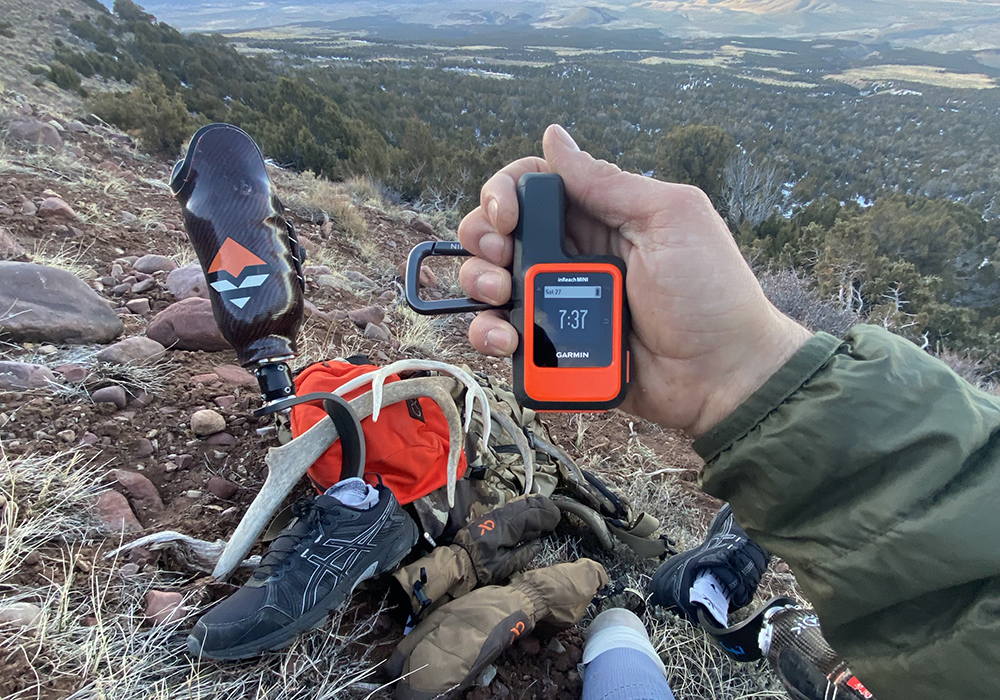
A: The best place to carry your inReach device is clipped to the outside, upper part of your backpack, with the antenna facing upwards and having a clear view of the sky. This ensures optimal satellite signal reception while keeping the device accessible.
1Active subscription required. Some jurisdictions regulate or prohibit satellite communication devices; it is the user’s responsibility to know and follow all applicable laws.
Apple and App Store are trademarks of Apple Inc., registered in the U.S. and other countries. Google Play and the Google Play logo are trademarks of Google LLC.