What Is HRV? Heart Rate Variability, Normal Range and Garmin HRV Status
Why Do You Still Feel Tired After Getting Enough Sleep?
Have you ever slept for eight hours but still woken up feeling tired? Or perhaps your workload has not changed, yet your body feels more fatigued than usual?
Along with metrics such as heart rate and sleep, heart rate variability (HRV) can provide useful insights into how your body is responding to stress and recovery.
When it comes to HRV, higher is not always better. HRV varies significantly from person to person, so rather than comparing your numbers with someone else’s, it is more useful to see whether your HRV remains within your personal baseline range and how it changes over time.
What Is HRV (Heart Rate Variability)?
Heart rate variability (HRV) refers to the variation in the time interval between consecutive heartbeats, typically measured in milliseconds (ms).
Your heart does not beat like a metronome with exactly the same amount of time between every beat. These small variations are regulated by the autonomic nervous system, which includes the sympathetic and parasympathetic nervous systems and responds to activity, rest, stress and recovery.
In general, higher HRV is often associated with lower physiological stress, while lower HRV may occur when the body is under greater stress or has increased recovery needs.
However, HRV is influenced by many factors, including age, sex, fitness level, physical activity and sleep. This means there is no single “normal HRV” value that applies to everyone.
Instead of aiming for a specific number, it is more useful to compare your HRV with your own personal baseline and monitor long-term trends.
How to Understand Garmin HRV Status
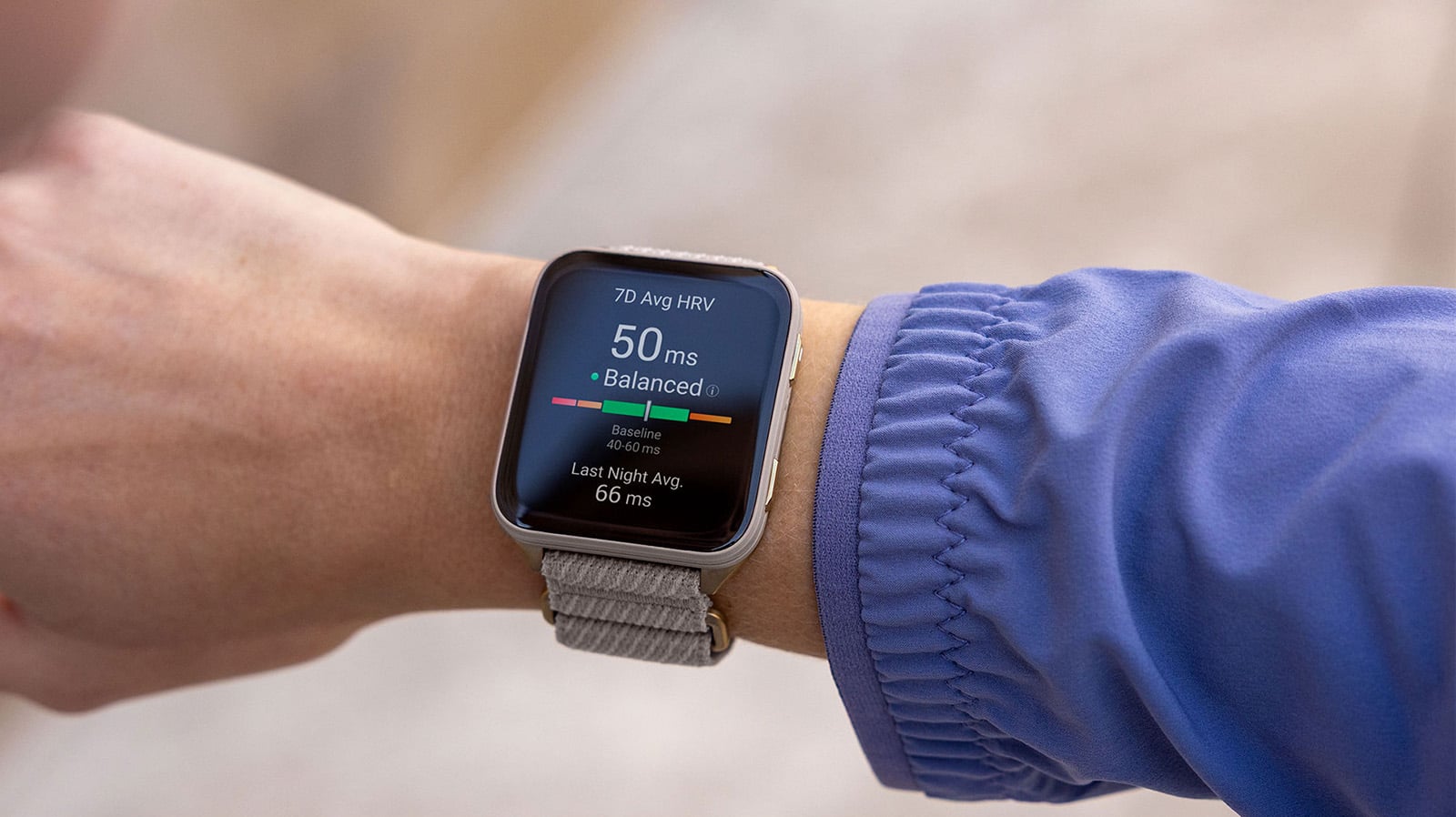
Garmin HRV Status uses your overnight HRV data to establish a personal baseline, which typically takes about 3 weeks (21 nights) of consistent wear. Once established, your device compares your rolling seven-day average — visible after the first 7 nights — against this baseline to determine your HRV status.
Why Is My HRV Low? 4 Common Factors That Can Affect HRV
If your HRV is usually relatively stable but suddenly drops or becomes unbalanced, it does not necessarily mean something is wrong. Sleep, physical and psychological stress, alcohol consumption and training load can all affect HRV.
1. Alcohol
If you drank alcohol the night before, you may notice changes in your HRV, sleep or Body Battery data the following day.
Alcohol can affect sleep and overnight recovery, so comparing your HRV and sleep trends before and after drinking can help you better understand how your body responds.
2. Stress and Lack of Sleep
Work stress, everyday life stress, staying up late and poor sleep quality may affect your autonomic nervous system and overnight HRV.
If your HRV remains below your usual range, consider reviewing your recent sleep duration, sleep score and stress data together rather than looking at HRV alone.
3. Physical Stress or Feeling Unwell
When your body is dealing with an infection, inflammation or other forms of physiological stress, your heart rate and HRV may change from their usual patterns.
However, HRV cannot be used to diagnose an illness. If unusual data is accompanied by noticeable symptoms or you feel unwell, seek advice from a qualified healthcare professional based on your symptoms.
4. Increased Training Load and Insufficient Recovery
High-intensity training or a recent increase in training volume may temporarily affect HRV.
Athletes can consider HRV alongside sleep, training load, Body Battery, Training Readiness and how they feel when planning their training and recovery.
How to Use HRV With Morning Report, Body Battery and Training Readiness
Compatible Garmin smartwatches combine HRV with sleep, activity and other health data to provide a more complete view of how your body is doing.
With Morning Report, you can start your day with an overview of your previous night’s sleep, HRV Status and other personalised information.
Body Battery uses HRV, stress, sleep and activity data to estimate your body’s available energy and show how it changes throughout the day.
For those who train regularly, HRV can also be considered alongside Training Readiness, Training Status, sleep and how you feel to help guide your daily training and recovery decisions.
Keep in mind that HRV Status is only one piece of information about your body. Avoid deciding whether to complete a high-intensity workout based on a single HRV reading alone.
Related: What Is Body Battery?
Watch: Introduction to Morning Report
How to Improve HRV? 4 Habits That Can Support a Balanced HRV
HRV is affected by sleep, stress, exercise and everyday lifestyle habits. Rather than trying to increase a single HRV reading, focus on habits that support recovery and help keep your HRV within your personal baseline range over time.
If your HRV remains low or becomes unbalanced, consider the following:
1. Get Consistent, Sufficient Sleep
Sleep plays an important role in recovery and can affect overnight HRV.
Try to maintain consistent sleep and wake times and create a quiet, comfortable sleeping environment at an appropriate temperature.
Rather than focusing on a single night’s sleep, use Garmin sleep tracking and sleep score to monitor longer-term sleep trends.
2. Balance Exercise and Recovery
Regular exercise supports health and fitness, but your body also needs sufficient recovery when training load increases.
If your HRV remains below your personal baseline, consider your sleep, Body Battery, Training Readiness and how you feel, and adjust your training intensity or recovery accordingly rather than making decisions based on HRV alone.
3. Manage Everyday Stress
Work, lifestyle and psychological stress can all be reflected in HRV changes.
When stress levels are high, you can use the Breathwork activity on a compatible Garmin smartwatch and follow guided, slow and controlled breathing exercises to help you slow down and relax.
4. Monitor the Impact of Lifestyle Habits
Alcohol, caffeine intake and changes in your daily routine may be associated with changes in sleep and HRV.
If your compatible Garmin device supports lifestyle logging, you can record habits such as caffeine and alcohol consumption and review them alongside sleep, stress and other health data in the Garmin Connect app. Over time, this can help you identify patterns that work best for you.
Track Your HRV Consistently Over Time
Wearing your compatible Garmin device consistently while sleeping helps establish your personal HRV baseline and provides more meaningful insight into your seven-day average and longer-term trends.
Rather than focusing on a single night’s reading, look at how your HRV changes over time alongside sleep, training, stress and lifestyle patterns.
The goal is not to make your HRV “as high as possible”. Instead, focus on sustainable habits that help keep your HRV within your personal baseline range.
Watch: How to View Your HRV Status
Which Garmin Watch Is Best for Tracking HRV and Recovery?
Many Garmin smartwatches and GPS sports watches support HRV-related features.
HRV Status is designed for monitoring overnight HRV and longer-term recovery trends, while Health Snapshot lets you record HRV and several other health metrics during a dedicated measurement session.
Understanding the difference can help you choose a Garmin watch based on how you want to use HRV data.
HRV Status: Monitor Overnight HRV and Long-Term Trends
Garmin HRV Status records HRV while you sleep and shows trends through your overnight average HRV, seven-day average HRV and personal baseline range.
Once you have worn a compatible device consistently enough to establish your personal baseline, you can use HRV Status to see whether your HRV is balanced relative to your usual range.
If you want to use HRV to monitor longer-term recovery, you can choose a Garmin series based on your primary activities.
Health Snapshot: Record Multiple Health Metrics in About 2 Minutes
If you want to record HRV and other health metrics at a specific time rather than only monitoring long-term trends, selected Garmin devices also support Health Snapshot.
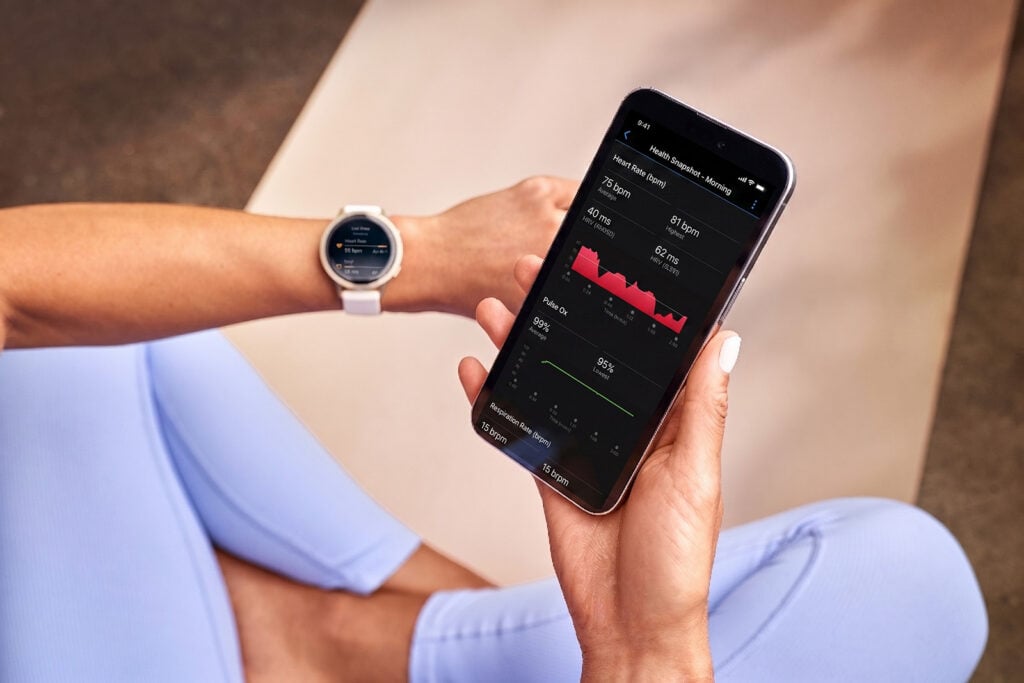
During an approximately two-minute session, Health Snapshot records several key health metrics, including heart rate, heart rate variability (HRV), Pulse Ox, respiration and stress. You can then review the information in Garmin Connect.
HRV Status
- Automatically records HRV while you sleep
- Establishes your personal HRV baseline
- Shows overnight average and seven-day average HRV
- Best suited for understanding longer-term HRV and recovery trends
Health Snapshot
- Initiated manually for an approximately two-minute measurement
- Records HRV together with multiple health metrics
- Useful for capturing key physiological data at a specific point in time
If your main goal is to use HRV to understand longer-term recovery trends, check whether the watch supports HRV Status. If you also want to manually record HRV, heart rate, stress and other metrics at a specific time, check whether Health Snapshot is supported.
Which Garmin HRV Watch Should You Choose?
| Primary Use | Recommended Garmin Series | Recommended Models |
|---|---|---|
| Running, marathon and triathlon | Forerunner | Forerunner 70/170, Forerunner 570, Forerunner 970 |
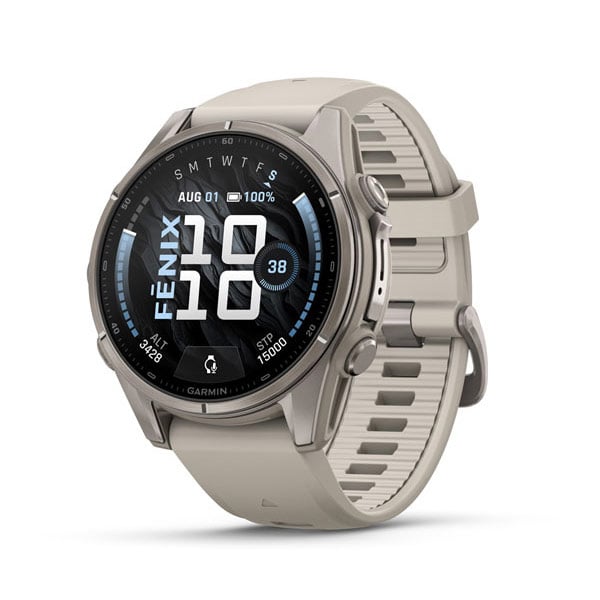
| Outdoor activities, hiking and multisport | fēnix | fēnix 9, fēnix 8 |
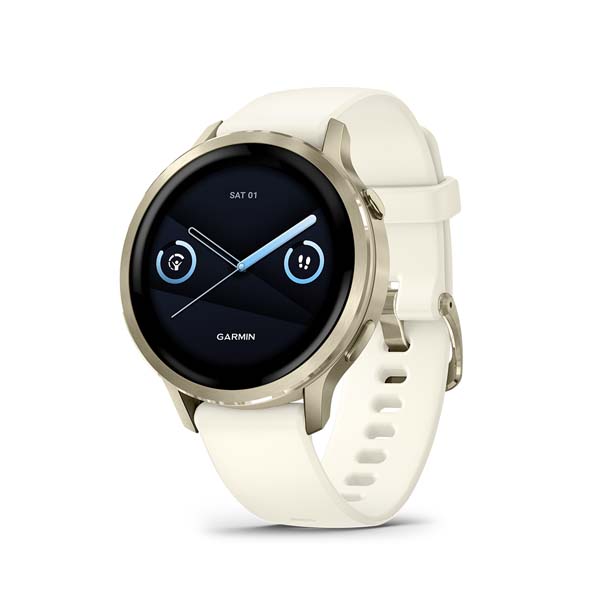
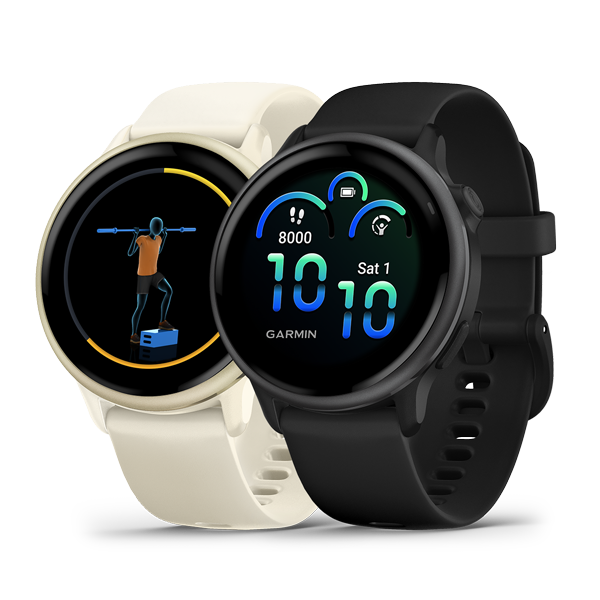
| Health, fitness and everyday use | Venu, vívoactive | Venu 4, Venu X1, vívoactive 6 |
| Outdoor activities and durability | Instinct | Instinct 3 |
Buying tip: HRV Status, Health Snapshot and other health features may vary by Garmin series and model. Check individual product pages and the latest Garmin Support information for feature compatibility.
HRV Frequently Asked Questions
1. Is a Higher HRV Always Better?
Not necessarily. HRV varies significantly between individuals and is influenced by age, fitness level, activity, sleep and lifestyle factors.
There is no need to aim for a specific “high HRV” number or compare your HRV directly with someone else’s. Garmin HRV Status focuses on comparing your seven-day average HRV with your personal baseline range to help you understand whether your longer-term trend remains balanced.
2. Can I Compare My HRV With Someone Else’s?
Direct comparison is generally not useful. HRV differs considerably between individuals due to factors such as age, sex, fitness and lifestyle.
A value that is normal for one person may not have the same meaning for another. Garmin HRV Status establishes your own personal baseline, so your seven-day average and long-term trends provide more relevant context.
3. Why Can’t I See HRV Status on My New Garmin Watch?
Garmin needs time to establish your personal HRV baseline before displaying a full HRV Status.
Learn more about how Garmin HRV Status and your personal baseline work.
4. What Is a Normal HRV?
There is no single normal HRV value that applies to everyone.
HRV varies according to factors including age, sex, fitness level, activity and sleep. Rather than aiming for a particular number, monitor your personal baseline range and long-term trends.
5. Does Low HRV Mean I Am Sick?
Not necessarily. HRV can be affected by sleep, physical activity, stress, lifestyle habits and your overall physical condition.
HRV alone cannot determine whether you are ill. HRV information provided by Garmin wearable devices is intended for general health and fitness purposes and is not a substitute for professional medical diagnosis.