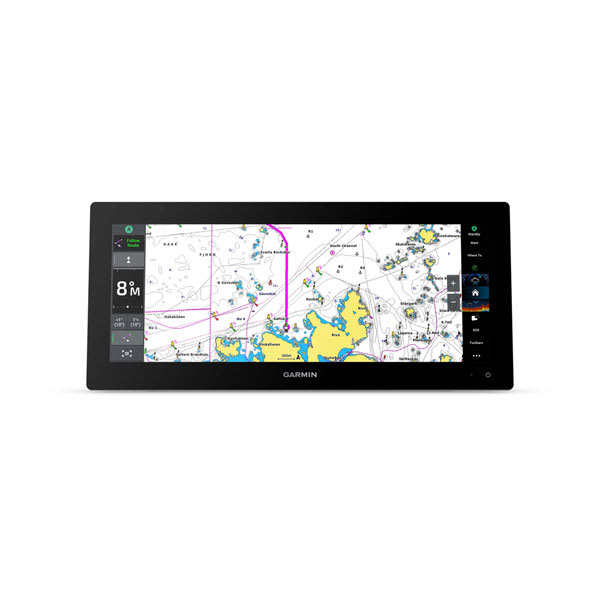
Understanding your nautical charts
When you’re on the water, you have to pay attention to navigation aids such as lights, buoys, channel markers and more. Whether you need a standard navigation chart to get where you’re going or relief shading for your favorite marine activity, Navionics® mapping from Garmin is a trusted travel tool.
You’ll be able to flip back and forth between some or all of the following layers to get the perfect view for the journey ahead from your compatible chartplotter or on your smartphone via the ActiveCaptain® or Navionics® Boating app.
Navigation chart
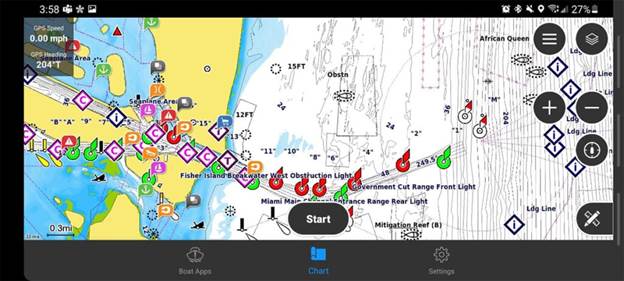
With this chart layer, you’ll get an overhead view of buoys, lights, cables, depth soundings, marinas, tide stations and more so you can navigate with confidence. Hover over the symbols to learn more about what each data point represents.
Chart detail varies depending on the zoom level so you can see the most important and appropriate information without clutter. You can adjust your chart settings for your preferred setup.
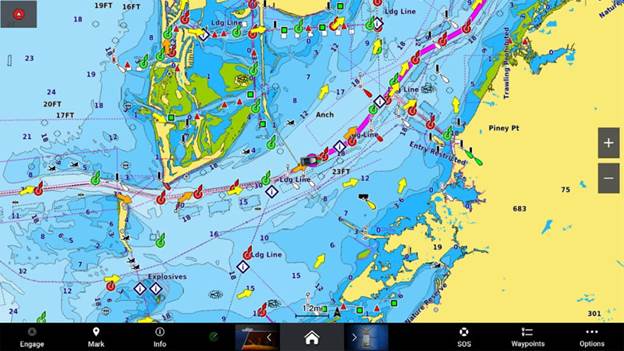
Fishing chart
When looking at the fishing map, you’ll see detailed bottom contour lines. Each line represents depth level, which is great for identifying fish structure (like points, humps and drop-offs) and knowing when you’re approaching shallow waters.
Contour lines that are further apart indicate little change in depth, while those closer together indicate a steeper change.
To contribute to depth data that can be used to improve map detail, check out the Garmin Quickdraw™ Contours feature on your Garmin chartplotter.
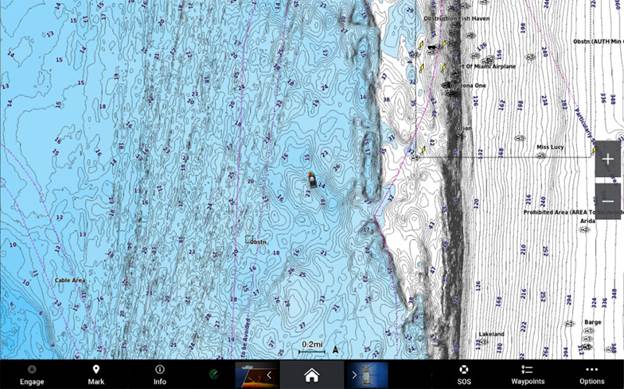
Relief shading chart overlay
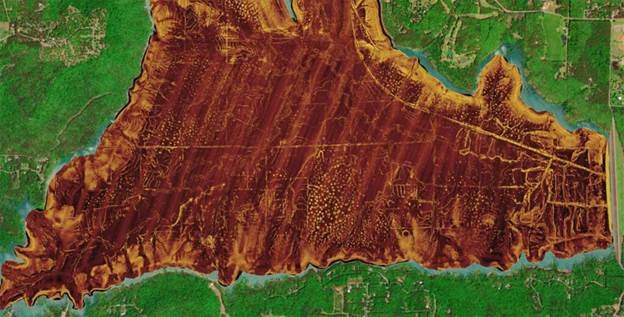
Relief shading gives boaters high-resolution imagery of lake and coastal waters for a clear view of changes in depth that can reveal the underwater landscape. Color and shadow represent different depths, with shallower waters appearing red transitioning to deepest waters appearing dark blue and purple.
Those varying colors and shadows make it easier to spot depth changes, channels, flats, sunken ships and reefs.
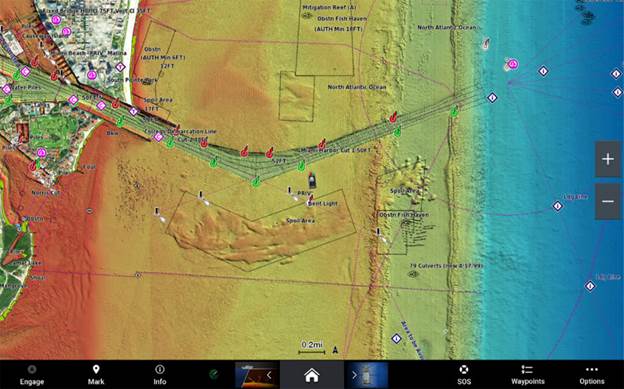
Satellite imagery chart overlay
For improved situational awareness and a realistic view of your surroundings, activate a high-resolution satellite imagery overlay. Satellite imagery makes it easier for you to spot onshore features such as marinas, boat ramps and coves.
3D View
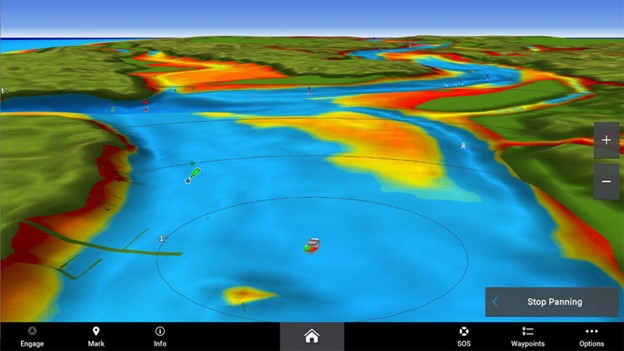
Great for seeing above and below the waterline, two 3D options include both MarinerEye and FishEye perspectives. Locate potential fishing and diving locales by viewing the depth and elevation around your boat. Plus, identify potential hazards and see upcoming harbors and ports when using MarinerEye.

FishEye 3D View
MarinerEye 3D View
ActiveCaptain® Community
The ActiveCaptain Community is a great source of local knowledge contributed by boaters. Included are points of interest that users have uploaded, including ratings, photos and reviews of marinas with fuel prices and amenities, as well as local condition changes, new hazards and more.
Customise your maps to make them as simple or advanced as you’d like. Learn more about Garmin Navionics and browse our collection of chartplotters to help improve your next boating excursion.